---
description: View all commands related to greet.
---
# Greeter
### `a!greet`
{% tabs %}
{% tab title="Usage" %}
* `a!greet` - Shows all available commands for the greet module.
{% endtab %}
{% tab title="Examples" %}
 {% endtab %}
{% endtabs %}
### `a!greet settings`
{% tabs %}
{% tab title="Usage" %}
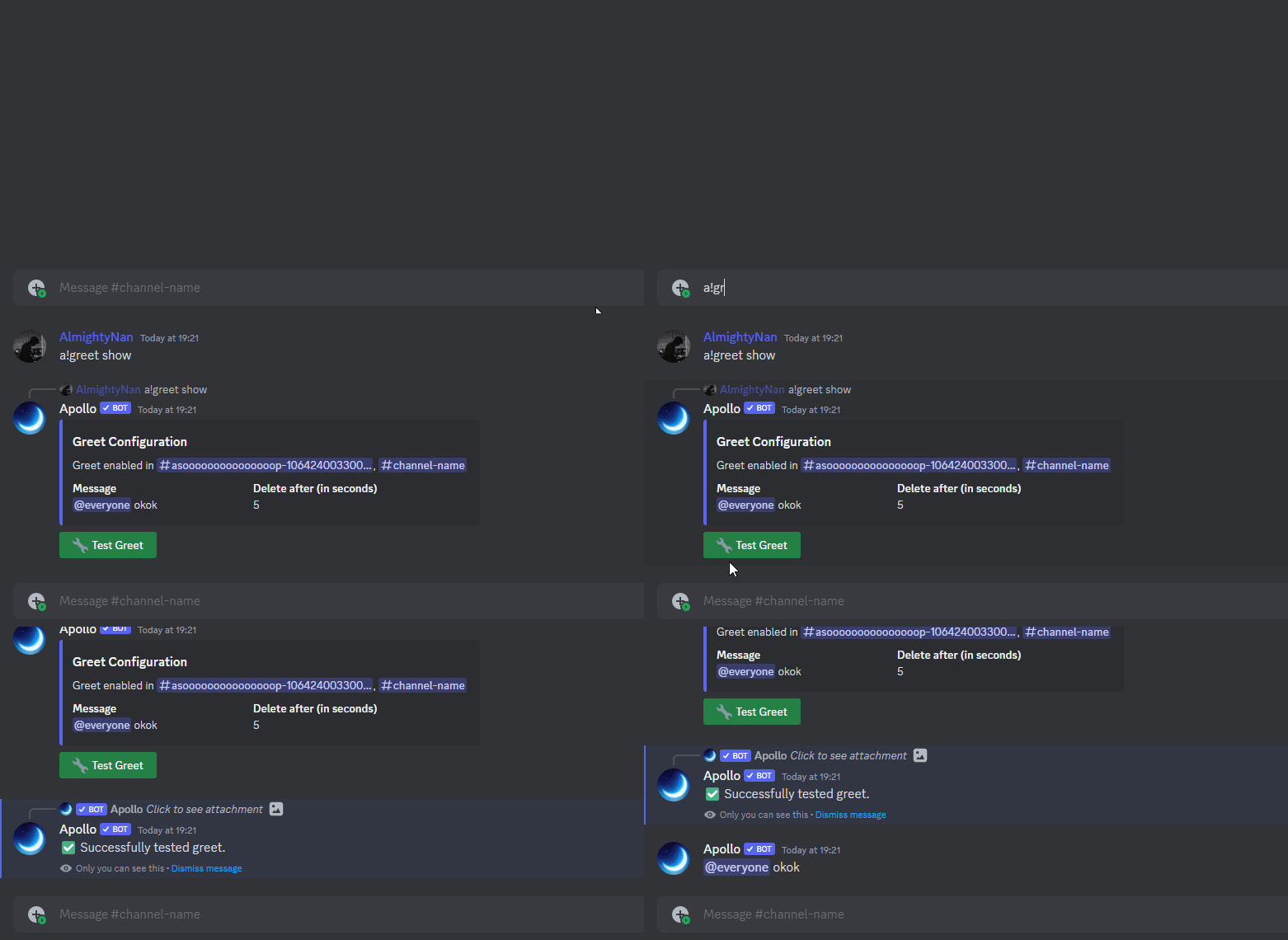
* `a!greet settings`- Shows the current configuration of greet on the server.
{% endtab %}
{% tab title="Examples" %}
{% endtab %}
{% endtabs %}
### `a!greet settings`
{% tabs %}
{% tab title="Usage" %}
* `a!greet settings`- Shows the current configuration of greet on the server.
{% endtab %}
{% tab title="Examples" %}
 {% endtab %}
{% endtabs %}
### `a!greet message`
{% tabs %}
{% tab title="Usage" %}
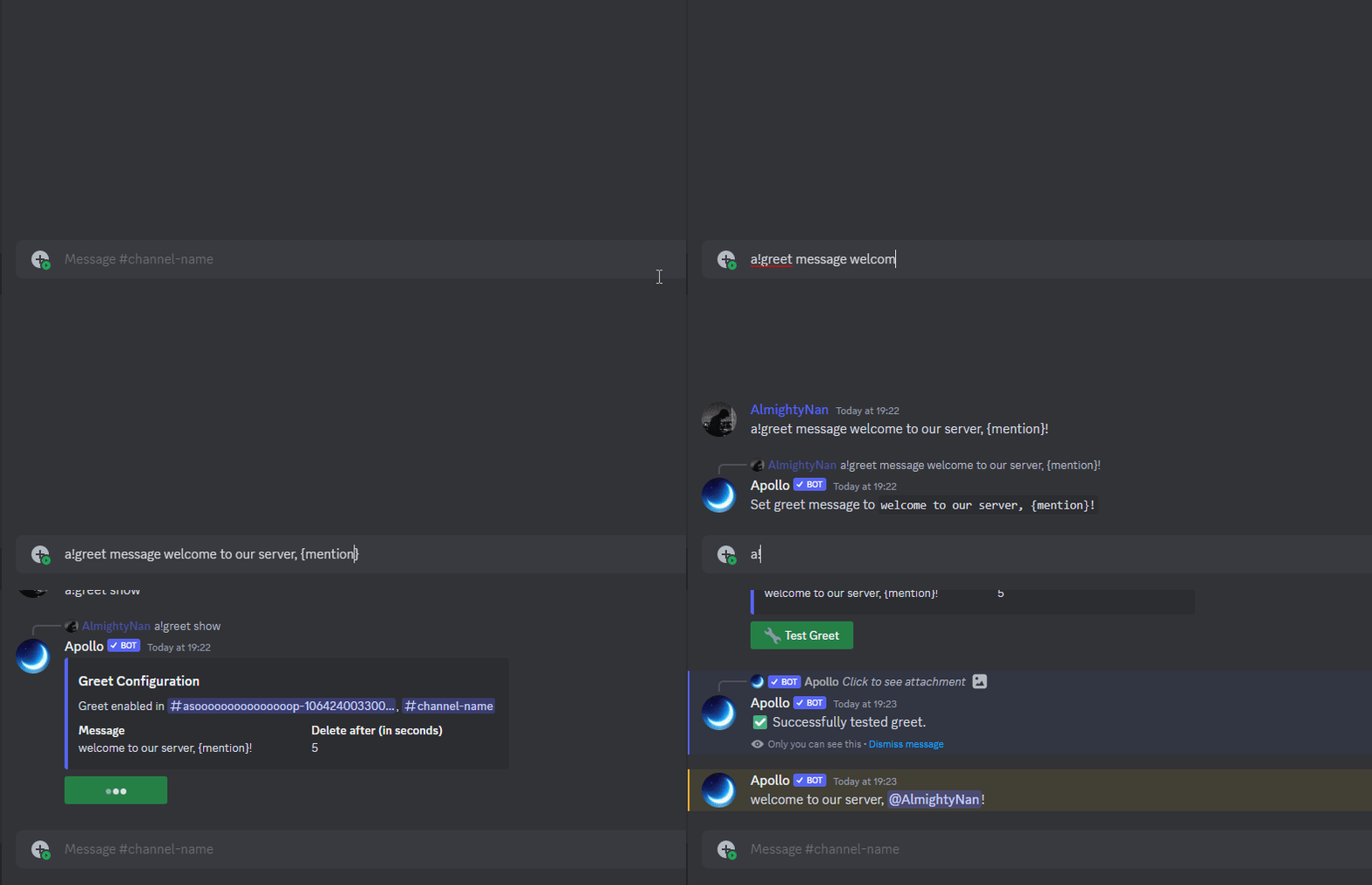
* `a!greet message ` - Allows you to change the greet message.
{% endtab %}
{% tab title="Examples" %}
{% endtab %}
{% endtabs %}
### `a!greet message`
{% tabs %}
{% tab title="Usage" %}
* `a!greet message ` - Allows you to change the greet message.
{% endtab %}
{% tab title="Examples" %}
 {% endtab %}
{% endtabs %}
### `a!greet delafter`
{% tabs %}
{% tab title="Usage" %}
* `a!greet delafter ` - Sets the time to delete the greet message
{% endtab %}
{% tab title="Examples" %}
{% endtab %}
{% endtabs %}
### `a!greet delafter`
{% tabs %}
{% tab title="Usage" %}
* `a!greet delafter ` - Sets the time to delete the greet message
{% endtab %}
{% tab title="Examples" %}
 {% endtab %}
{% endtabs %}
`a!greet toggle`
{% tabs %}
{% tab title="First Tab" %}
* `a!greet toggle` - Enables or disables the greet module.
{% endtab %}
{% tab title="Second Tab" %}
{% endtab %}
{% endtabs %}
`a!greet reset`
{% tabs %}
{% tab title="First Tab" %}
* `a!greet reset` - Reset all configurations for the greet module within your server.
{% endtab %}
{% tab title="Second Tab" %}
{% endtab %}
{% endtabs %}
{% hint style="info" %}
**Syntax usage:**
`<>` = Required argument (mandatory and must be included)
`[]` = Optional argument (not necessary to be included)
{% endhint %}
{% endtab %}
{% endtabs %}
`a!greet toggle`
{% tabs %}
{% tab title="First Tab" %}
* `a!greet toggle` - Enables or disables the greet module.
{% endtab %}
{% tab title="Second Tab" %}
{% endtab %}
{% endtabs %}
`a!greet reset`
{% tabs %}
{% tab title="First Tab" %}
* `a!greet reset` - Reset all configurations for the greet module within your server.
{% endtab %}
{% tab title="Second Tab" %}
{% endtab %}
{% endtabs %}
{% hint style="info" %}
**Syntax usage:**
`<>` = Required argument (mandatory and must be included)
`[]` = Optional argument (not necessary to be included)
{% endhint %}