---
description: Commands which are used to count/manage message counting in a server.
---
# Message Counter
{% hint style="warning" %}
Inorder for message counter to work, you must enable it by using `a!messages enable`
{% endhint %}
### `a!messages`
{% tabs %}
{% tab title="Usage" %}
* `a!messages [user]` - Check your/other user's number of messages in the server.
{% endtab %}
{% tab title="Examples" %}
 {% endtab %}
{% endtabs %}
### `a!messages-admin add`
{% tabs %}
{% tab title="Usage" %}
* `a!messages-admin add ` - Add a certain number of messages to an user.
{% endtab %}
{% tab title="Examples" %}
{% endtab %}
{% endtabs %}
### `a!messages-admin add`
{% tabs %}
{% tab title="Usage" %}
* `a!messages-admin add ` - Add a certain number of messages to an user.
{% endtab %}
{% tab title="Examples" %}
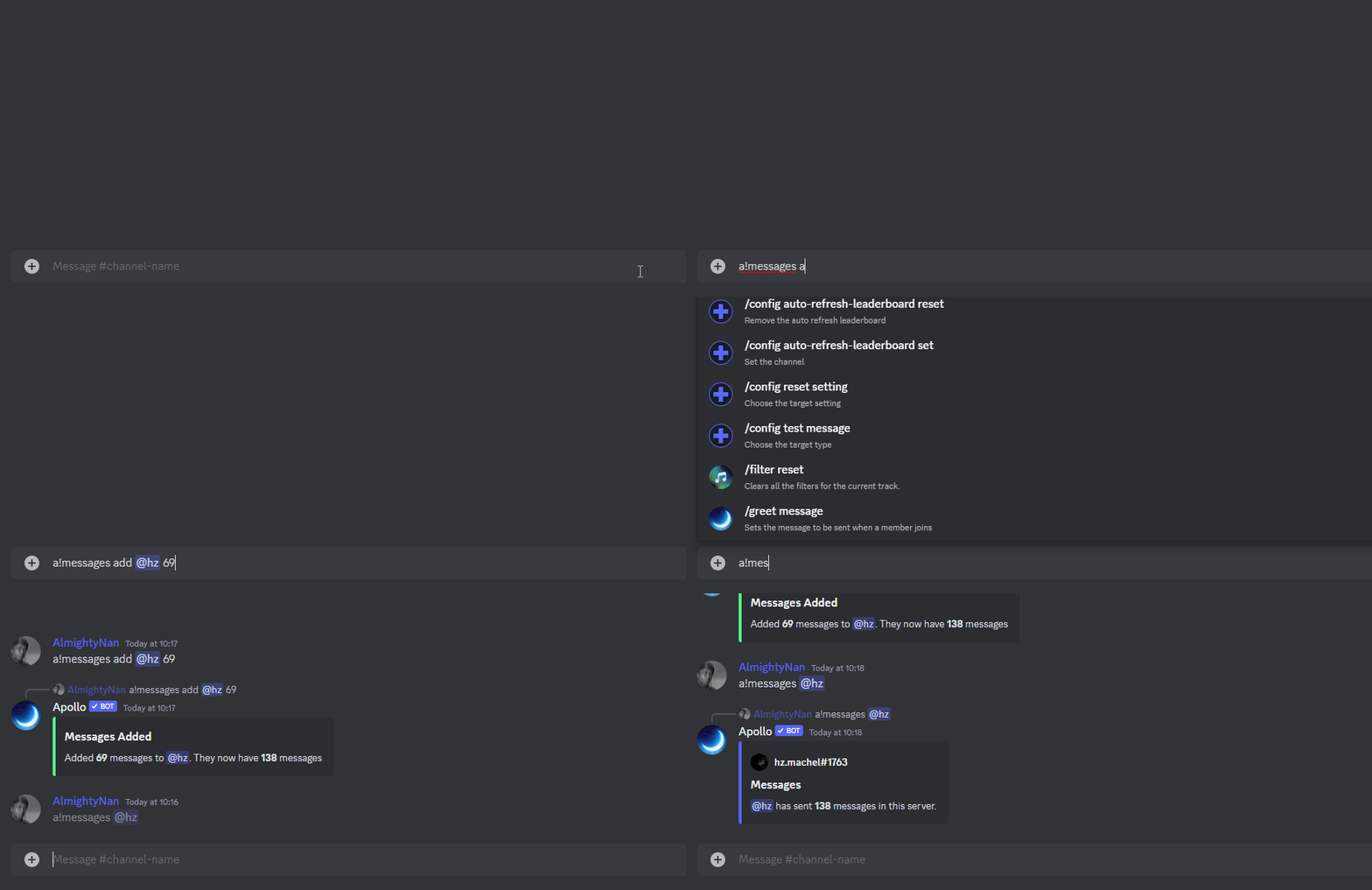 {% endtab %}
{% endtabs %}
### `a!messages-admin remove`
{% tabs %}
{% tab title="Usage" %}
* `a!messages remove ` - Remove messages from an user.
{% endtab %}
{% tab title="Examples" %}
{% endtab %}
{% endtabs %}
### `a!messages-admin remove`
{% tabs %}
{% tab title="Usage" %}
* `a!messages remove ` - Remove messages from an user.
{% endtab %}
{% tab title="Examples" %}
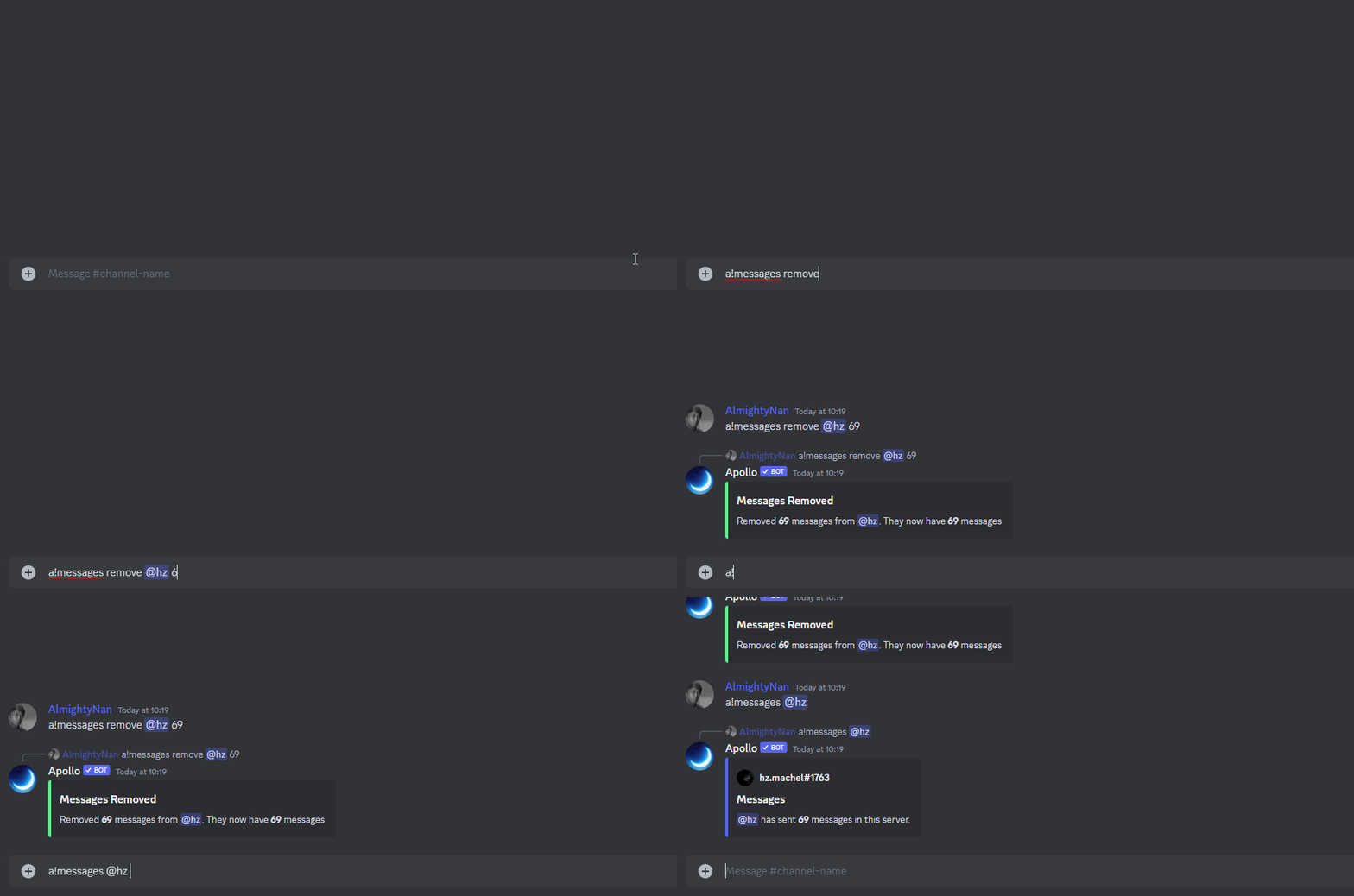 {% endtab %}
{% endtabs %}
### `a!messages-admin enable`
{% tabs %}
{% tab title="Usage" %}
* `a!messages enable` - Enables the message counter. _(Refer to top of the page)_
{% endtab %}
{% tab title="Examples" %}
{% endtab %}
{% endtabs %}
### `a!messages-admin enable`
{% tabs %}
{% tab title="Usage" %}
* `a!messages enable` - Enables the message counter. _(Refer to top of the page)_
{% endtab %}
{% tab title="Examples" %}
 {% endtab %}
{% endtabs %}
### `a!messages-admin disable`
{% tabs %}
{% tab title="Usage" %}
* `a!messages disable` - Disables the message counter if it is enabled.
{% endtab %}
{% tab title="Examples" %}
{% endtab %}
{% endtabs %}
### `a!messages-admin disable`
{% tabs %}
{% tab title="Usage" %}
* `a!messages disable` - Disables the message counter if it is enabled.
{% endtab %}
{% tab title="Examples" %}
 {% endtab %}
{% endtabs %}
### `a!messages reset` & `a!messages-admin reset-all`
{% tabs %}
{% tab title="Usage" %}
* `a!messages-admin reset ` - Reset a member's message count to 0.
* `a!messages-admin reset-all` - Reset the entire server's message count to 0.
{% hint style="danger" %}
**WARNING - DESTRUCTIVE ACTION**
* Wrong usage of this command can cause all your message data to be reset.
* Make sure to mention the user if you are resetting messages for a single user.
* Erased data cannot be recovered, we do not store backups of deleted data.
{% endhint %}
{% endtab %}
{% tab title="Examples" %}
#### Reset messages for a single user:
{% endtab %}
{% endtabs %}
### `a!messages reset` & `a!messages-admin reset-all`
{% tabs %}
{% tab title="Usage" %}
* `a!messages-admin reset ` - Reset a member's message count to 0.
* `a!messages-admin reset-all` - Reset the entire server's message count to 0.
{% hint style="danger" %}
**WARNING - DESTRUCTIVE ACTION**
* Wrong usage of this command can cause all your message data to be reset.
* Make sure to mention the user if you are resetting messages for a single user.
* Erased data cannot be recovered, we do not store backups of deleted data.
{% endhint %}
{% endtab %}
{% tab title="Examples" %}
#### Reset messages for a single user:
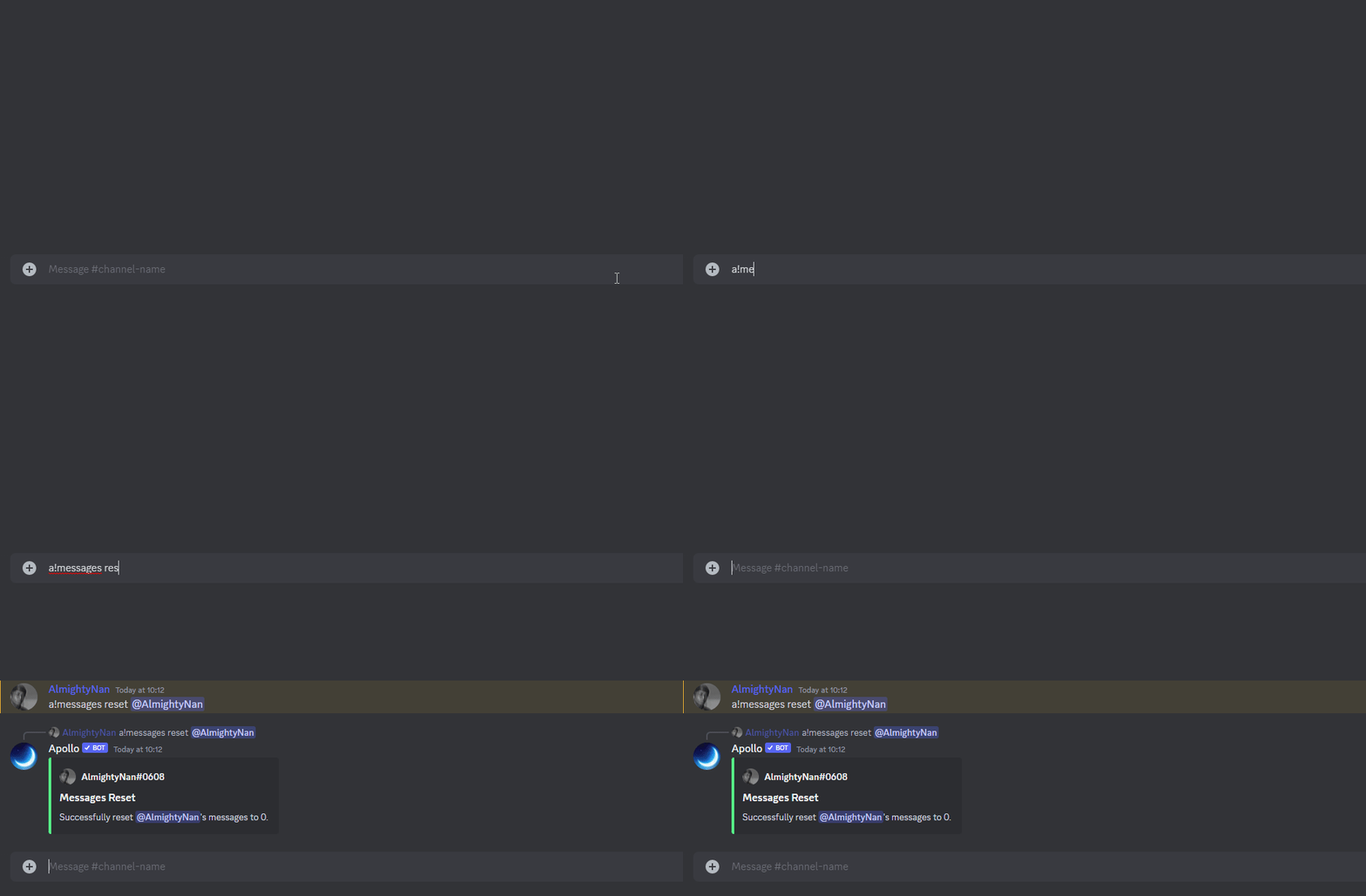 #### Reset messages for the entire server:
 {% endtab %}
{% endtabs %}
### `a!messages-admin settings`
{% tabs %}
{% tab title="Usage" %}
* `a!messages settings` - Configure the message settings for the entire server.
{% endtab %}
{% tab title="Examples" %}
{% endtab %}
{% endtabs %}
### `a!messages-admin settings`
{% tabs %}
{% tab title="Usage" %}
* `a!messages settings` - Configure the message settings for the entire server.
{% endtab %}
{% tab title="Examples" %}
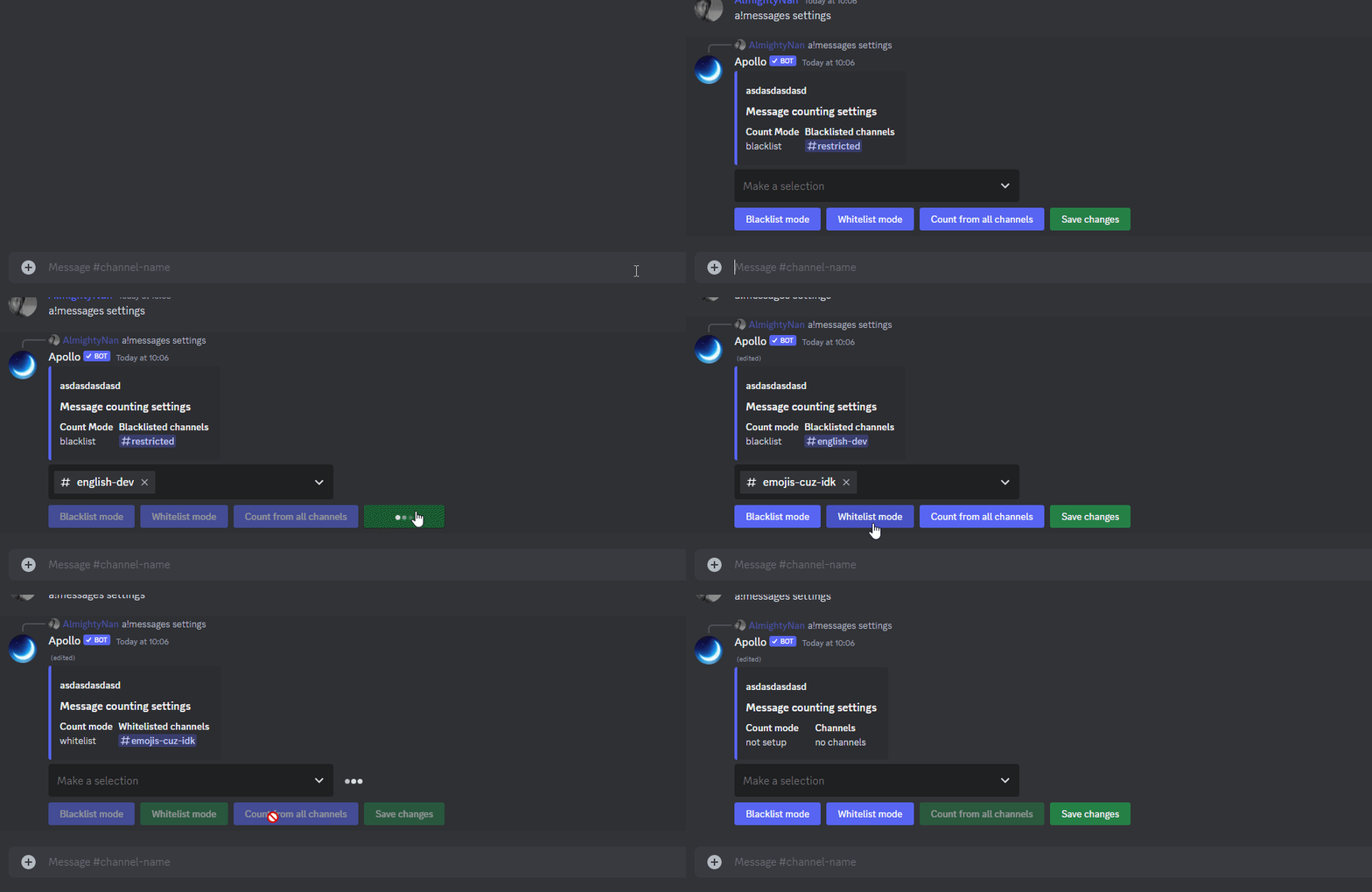 {% endtab %}
{% endtabs %}
### `a!leaderboard`
{% tabs %}
{% tab title="Usage" %}
* `a!leaderboard` - View the current message leaderboard for the server.
{% endtab %}
{% tab title="Examples" %}
{% endtab %}
{% endtabs %}
### `a!leaderboard`
{% tabs %}
{% tab title="Usage" %}
* `a!leaderboard` - View the current message leaderboard for the server.
{% endtab %}
{% tab title="Examples" %}
 {% endtab %}
{% endtabs %}
{% hint style="info" %}
**Syntax usage:**
`<>` = Required argument (mandatory and must be included)
`[]` = Optional argument (not necessary to be included)
{% endhint %}
{% endtab %}
{% endtabs %}
{% hint style="info" %}
**Syntax usage:**
`<>` = Required argument (mandatory and must be included)
`[]` = Optional argument (not necessary to be included)
{% endhint %}